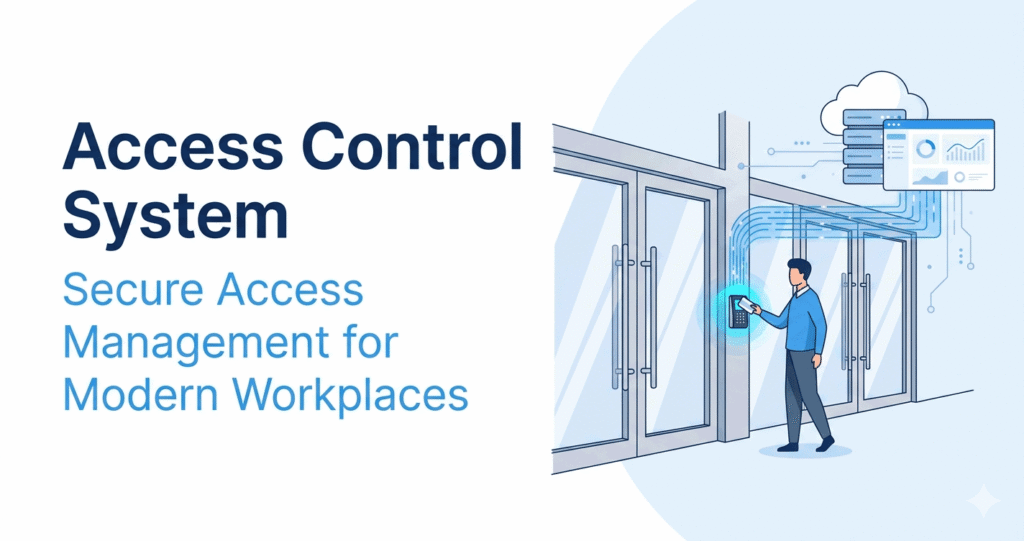
In today’s business environment, protecting physical assets, sensitive information, and employees is more important than ever. Traditional locks and keys have long been used to secure buildings, but they often lack flexibility, visibility, and control.
An access control system provides a smarter way to manage who can enter specific areas, when they can enter, and what actions they are authorized to perform. From office buildings and warehouses to hospitals and educational institutions, access control systems have become a fundamental part of modern security management.
This guide explains what an access control system is, how it works, its main components, benefits, and common business applications.
What Is an Access Control System?
An access control system is a security solution that regulates and monitors access to physical locations, buildings, rooms, or restricted areas.
Instead of relying solely on traditional keys, access control systems use credentials such as:
- Access cards
- PIN codes
- Mobile credentials
- Biometrics (fingerprint or facial recognition)
- Smart key fobs
The system verifies the identity of a user before granting or denying access to a protected area.
In simple terms, an access control system ensures that only authorized individuals can enter designated locations.
Why Are Access Control Systems Important?
Traditional key-based security creates several challenges:
- Lost or stolen keys
- Difficult key management
- Lack of access records
- High rekeying costs
- Limited visibility into building access
Access control systems address these issues by providing centralized control and real-time monitoring.
Organizations use access control systems to:
- Improve workplace security
- Protect sensitive information
- Restrict unauthorized access
- Monitor employee movement
- Simplify access management
As businesses continue to adopt digital technologies, access control systems have become an essential component of workplace security.
How Does an Access Control System Work?
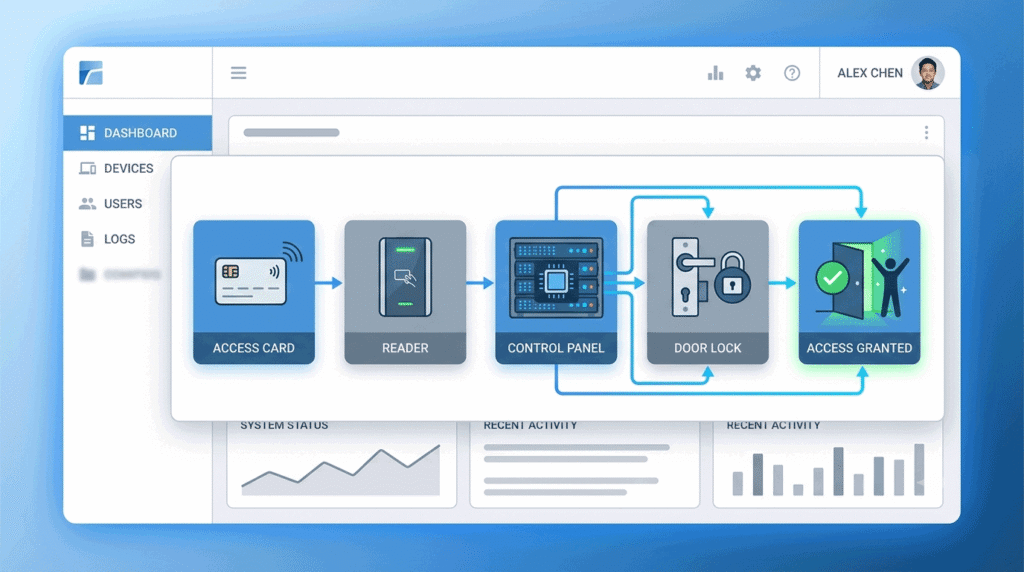
Although technologies vary, most access control systems follow a similar process.
Step 1: Credential Presentation
The user presents a credential to an access reader.
Examples include:
- Swiping an access card
- Entering a PIN code
- Scanning a fingerprint
- Using a smartphone app
Step 2: Identity Verification
The reader sends credential information to the access control system.
The system checks:
- User identity
- Permission level
- Access schedule
- Security policies
Step 3: Authorization Decision
The system determines whether the user is authorized to enter.
If authorized:
- The door unlocks.
If unauthorized:
- Access is denied.
Step 4: Activity Logging
The system records the event, including:
- User identity
- Entry location
- Date and time
- Access result
These logs provide valuable security and compliance information.
Main Components of an Access Control System
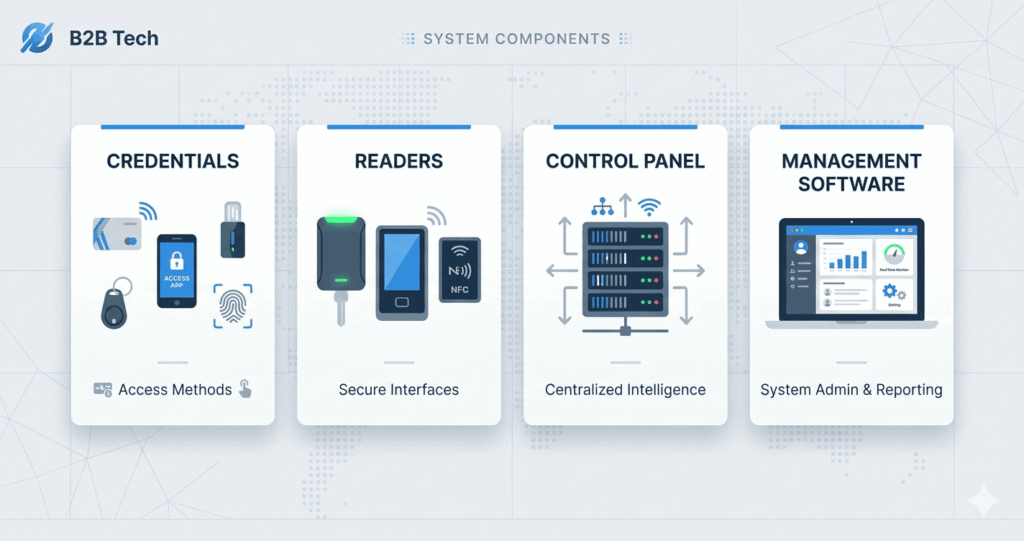
A modern access control system typically consists of several key components.
Access Credentials
Credentials identify authorized users.
Common examples include:
- RFID cards
- Key fobs
- PIN codes
- Mobile credentials
- Biometric data
Access Readers
Readers collect credential information and send it to the control system.
Examples include:
- Card readers
- Fingerprint scanners
- Facial recognition devices
- Mobile access readers
- Palmprint Recognition Devices
- Iris Recognition Devices
Access Control Panel
The control panel acts as the system’s brain.
It processes authentication requests and determines whether access should be granted.
Electronic Door Locks
Electronic locks receive instructions from the control panel.
When access is approved, the lock releases and allows entry.
Management Software
Management software enables administrators to:
- Add users
- Remove users
- Assign permissions
- View access logs
- Generate reports
Many modern solutions use cloud-based software for remote management.
Types of Access Control Systems
Organizations can choose from several access control models depending on their requirements.
Discretionary Access Control (DAC)
Access permissions are determined by the owner of a resource.
This model offers flexibility but may be difficult to manage in larger organizations.
Mandatory Access Control (MAC)
Access decisions are based on strict security policies.
MAC is commonly used in government and military environments.
Role-Based Access Control (RBAC)
Permissions are assigned according to a user’s role.
Examples:
- HR Manager
- IT Administrator
- Employee
- Contractor
RBAC is one of the most common access control models in businesses.
Attribute-Based Access Control (ABAC)
Access decisions are based on multiple attributes such as:
- Department
- Location
- Time of day
- Security clearance level
ABAC provides greater flexibility and granular control.
Benefits of Access Control Systems
Improved Security
Only authorized individuals can enter protected areas.
This significantly reduces the risk of unauthorized access.
Better Visibility
Organizations gain detailed records of who entered specific locations and when.
This information can be valuable for investigations and compliance reporting.
Simplified Administration
Administrators can quickly:
- Add users
- Remove users
- Modify permissions
Without replacing locks or issuing new keys.
Scalability
Access control systems can easily grow with an organization.
New locations and users can be added as business needs evolve.
Enhanced Compliance
Many industries require organizations to maintain access records.
Access control systems help support:
- Security audits
- Regulatory compliance
- Internal governance
Common Applications of Access Control Systems
Access control systems are used across a wide range of industries.
Office Buildings
Control employee and visitor access to offices and meeting rooms.
Manufacturing Facilities
Restrict access to production areas and sensitive equipment.
Healthcare Organizations
Protect patient records, pharmacies, and restricted medical zones.
Educational Institutions
Secure classrooms, laboratories, and administrative offices.
Data Centers
Prevent unauthorized access to critical IT infrastructure.
Cloud-Based Access Control Systems
Traditional access control systems are often managed on-site.
Modern cloud-based solutions provide additional benefits:
- Remote administration
- Real-time monitoring
- Automatic updates
- Easier scalability
- Centralized management
Cloud access control is becoming increasingly popular among organizations with multiple locations or distributed teams.
Choosing the Right Access Control System
When evaluating an access control solution, consider:
- Business size
- Number of locations
- Security requirements
- User volume
- Compliance obligations
- Integration capabilities
The right solution should support both current needs and future growth.
Conclusion
An access control system is a critical security technology that helps organizations manage and monitor access to physical locations.
By replacing traditional keys with digital credentials, businesses gain greater security, visibility, and operational efficiency.
Whether protecting an office, manufacturing facility, healthcare organization, or educational institution, access control systems provide a flexible and scalable solution for modern workplace security.
As cloud technologies continue to evolve, access control systems will play an increasingly important role in creating safer, smarter, and more connected workplaces.